Gather permitted inputs
Use the concept references, original named GLB and the source/rig record.

MIRROR DIRECT AND REVIEWED MODEL AUTHORING
Reuse the existing DP3 geometry before reconstruction. Improve only source-supported details, retaining identities, pivots, configuration and review questions.
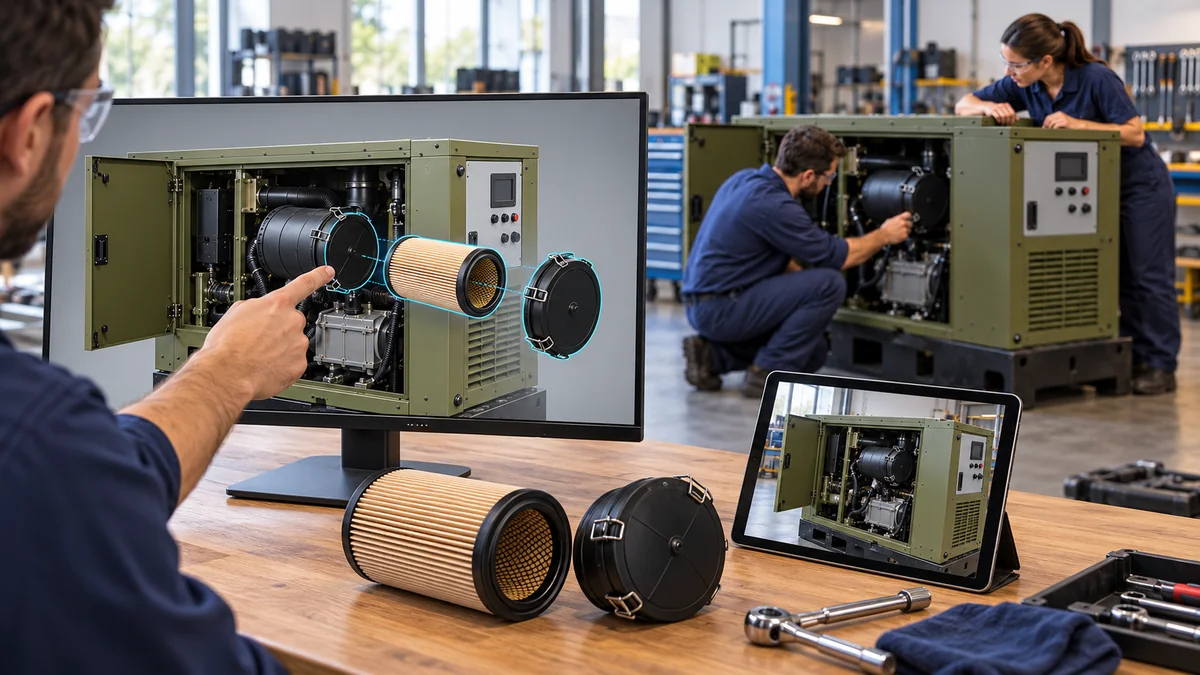
A CONNECTED TASK
Use the concept references, original named GLB and the source/rig record.
Preserve the fixed housing, two retainers, supported cover path and same A. Keep B outside.
Occluded interfaces, measured fit, hidden locking and the operational SOP remain review inputs.
Keep named geometry, pivots, version/change notes and the intended Genesis states together.
PRODUCT + SOURCE
VERIFIED EXTERNAL DESTINATION
Public EON product overview. Licensed authoring or customer applications have their own access arrangements.
Open official product information ↗THIS DEFENSE ASSET
The named model and training drafts are available here. An authenticated DF-GEN-01 Genesis or Field-IQ lesson has not been published or verified.
Discuss authorized task access ↗Reuse the supplied named DF-GEN-01 concept GLB and permitted reference images. Preserve one fixed housing, one cover, exactly two housing-mounted retaining assemblies, the same training A and incompatible B outside. Keep rigid pivots, supported cover transfer and the same-axis cartridge path. Improve only details supported by sources; list occluded/unknown interfaces. Deliver editable named geometry, pivots, version/change notes and reviewable states. No OEM, operational or native EON capture claim.
Download the model-to-Genesis brief ↗RELATED CONTENT
ASSET
Inspect the exact component and concept configuration.
Open the model ↗PROCEDURE
Review the source boundary, steps, expected observations and hold.
Read the drafts ↗WORK PACKAGE
Keep a controlled path from context to reviewed improvement.
Open the work package ↗